How to Delete Your Account & Data
A step-by-step guide to permanently deleting your account and data from the ToroKick platform.
Data Deletion & Retention
When you delete your account, all your personal data, including basic information, connection logs, and subscription details, will be immediately and permanently removed from our secure servers. This action cannot be reversed.
Requesting Deletion Without Logging In
If you are unable to log in to delete your account, you can request the deletion of your account and all associated data by contacting us via email. Your account and data will be permanently deleted as soon as we receive your request:
support@torokick.com
1 Step 1: Access the Navigation Menu
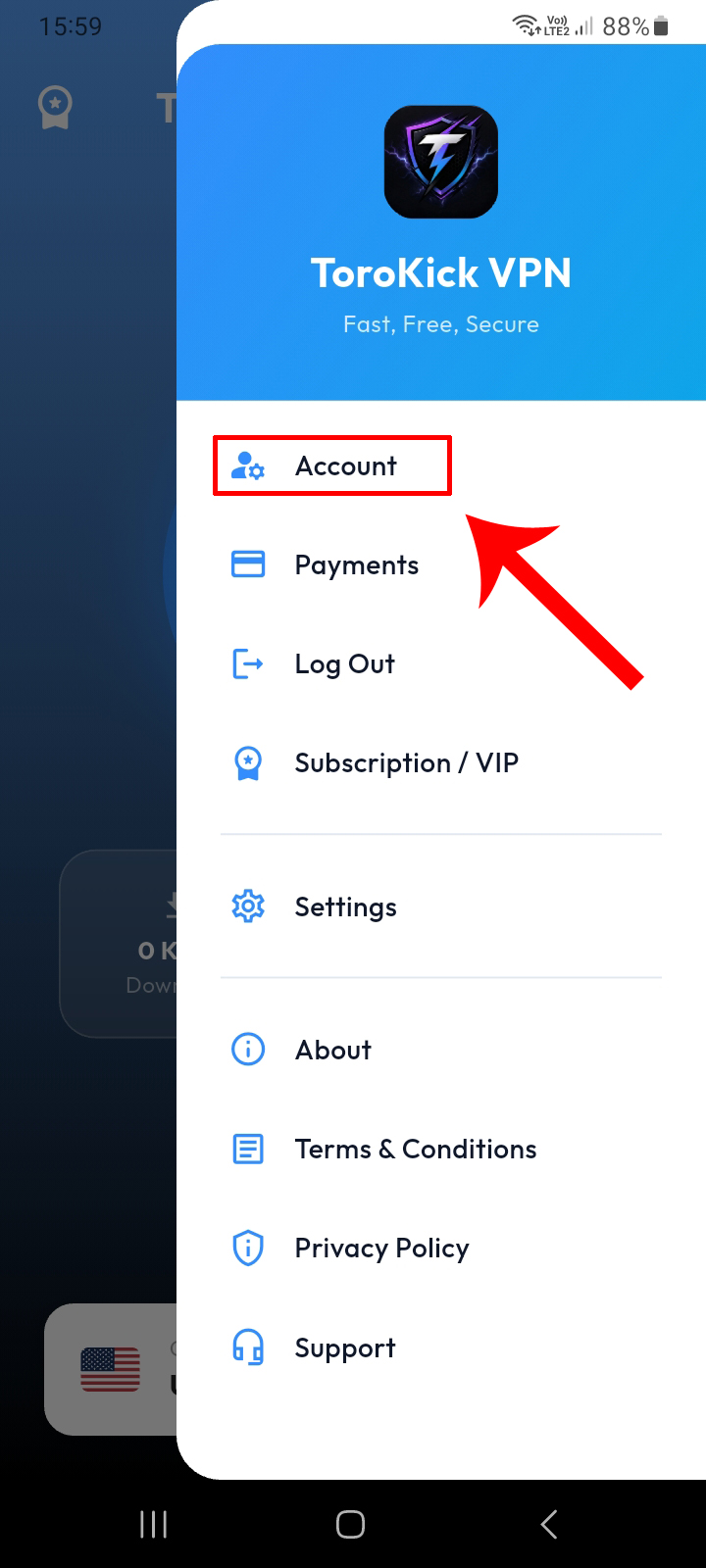
From the application, open the side menu (Hamburger Menu) and click on Account to access your dashboard.
2 Step 2: Request Account Deletion
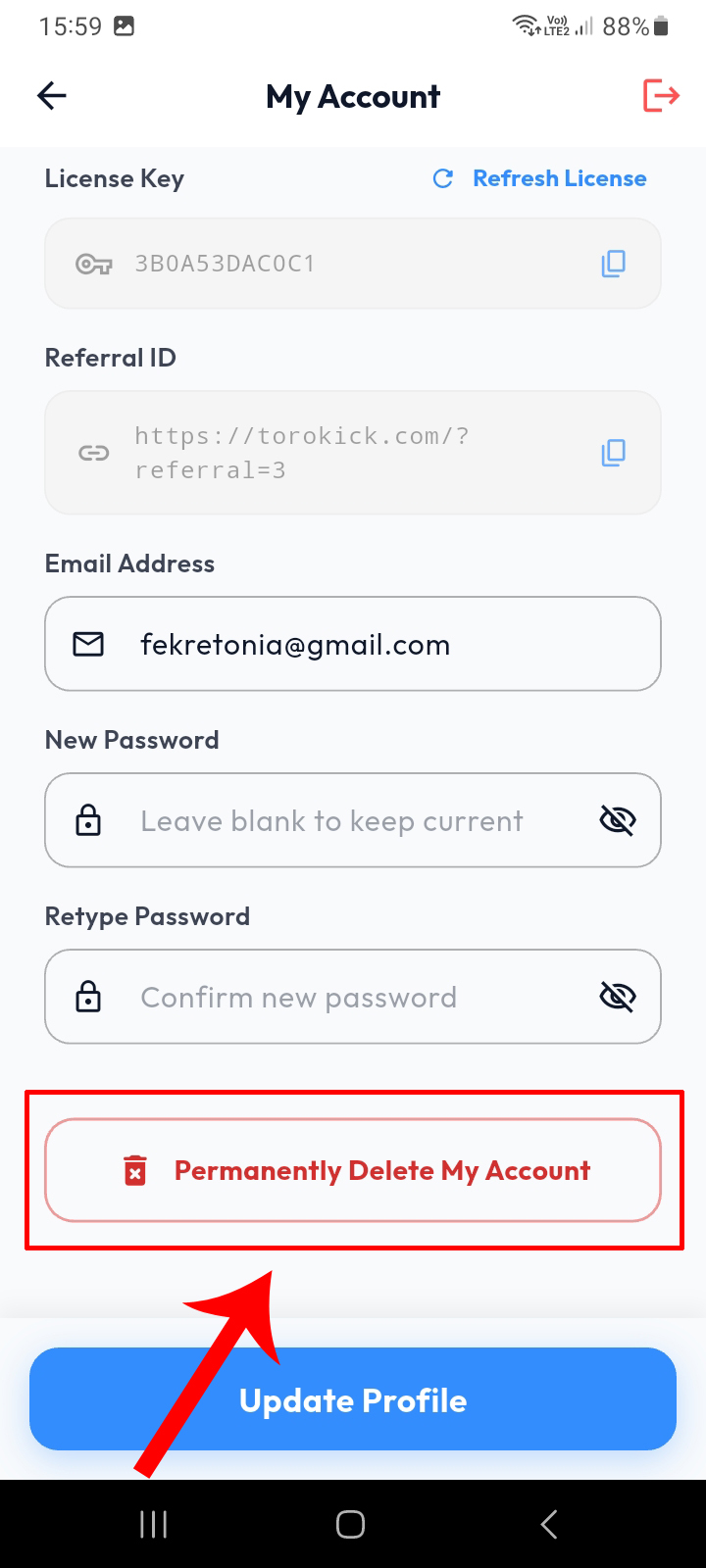
Inside your personal account page, scroll to the bottom where you will find a dedicated red button. Click on "Permanently Delete My Account".
3 Step 3: Confirm Deletion
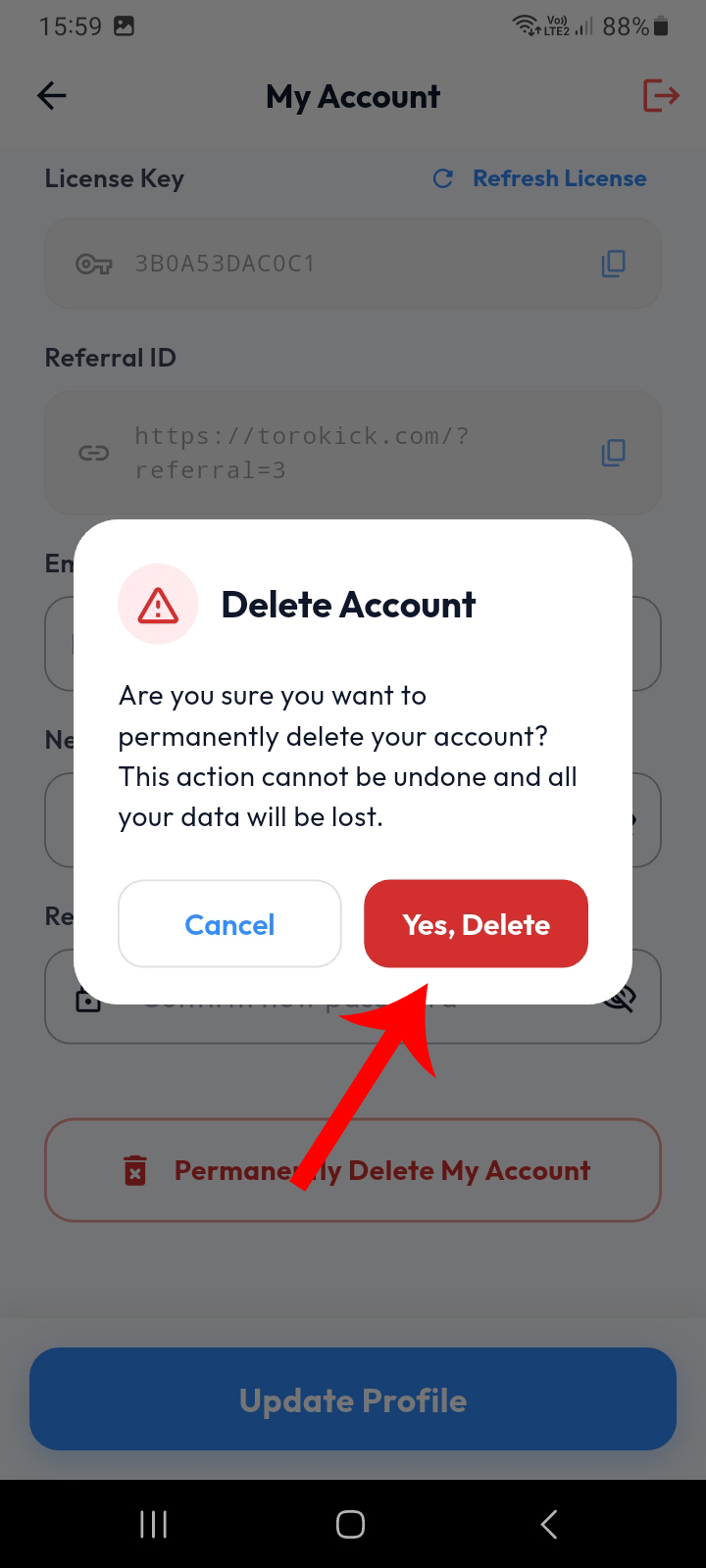
A confirmation prompt will appear to warn you that the deletion is final and irreversible. If you are certain, click the "Yes, Delete" button to confirm and permanently delete your account.
Important Notice
Please be aware that deleting your account will permanently erase all your data, connection history, and account records from our servers. This data cannot be recovered once deleted.